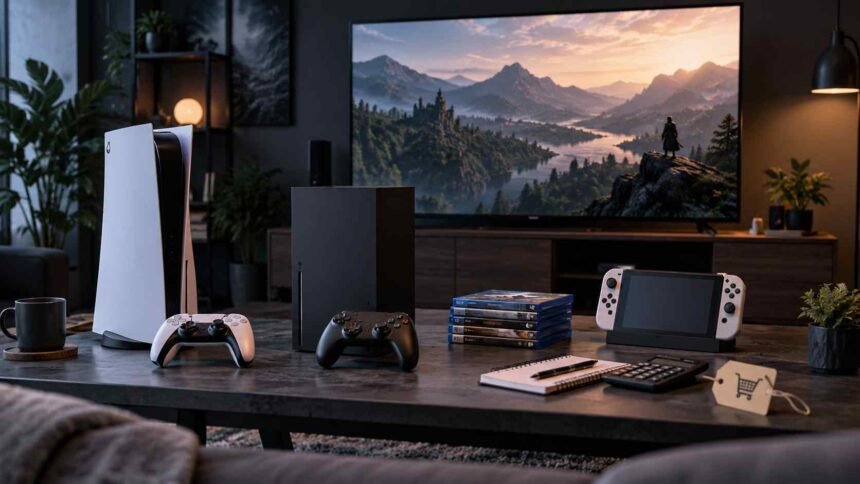
Quick answer: Choose a gaming console by defining your budget ceiling first, then matching it against the games you actually want to play and how you play them. Whether that’s solo story-driven titles, competitive online matches, or local couch co-op, the PlayStation 5, Xbox Series X|S, and Nintendo Switch each serve different priorities.
- What should your budget really include when buying a console?
- What do you get at each console price tier?
- What hidden costs come with owning a console?
- Does resale value matter when choosing a console?
- Why does your game library matter more than console specs?
- What are each console’s strongest exclusive games?
- How does backwards compatibility change your real options?
- Which upcoming releases should influence your decision now?
- How does your play style affect which console fits you best?
- Should casual gamers and competitive players choose differently?
- Do you play mostly local multiplayer or online-focused games?
- Are you drawn to single-player stories or ongoing service games?
- Does portability matter to your gaming routine?
- Which console’s controller and interface will feel best to you?
- How do controller designs differ across consoles?
- How do the consoles compare on menu navigation and usability?
- Which console offers the best accessibility features?
- How much does ecosystem lock-in limit your future choices?
- Is Xbox Game Pass a better value than PlayStation Plus?
- Should you buy digital or physical games?
- How much cross-platform play is actually available?
- How do you turn all of this into an actual decision?
- What’s a simple decision tree for choosing a console?
- What console fits common buyer scenarios?
- When should you wait instead of buying now?
- How do you future-proof your console choice for the next five years?
- Your Console, Your Way
- Frequently Asked Questions
The “best” console is the one that fits your specific budget, library, and play style. It’s not the one with the highest benchmark scores.
Most console buying guides rank hardware by teraflops and frame rates, as if raw power were the deciding factor in a purchase you’ll live with for the next five to seven years. It isn’t.
Two people with identical budgets can walk away with completely different consoles that are equally correct choices, because their game libraries and play habits don’t match.
This guide skips the spec sheet obsession. Instead, it walks through a decision-making framework built around three variables that actually predict satisfaction: what you can afford (including the costs nobody mentions upfront), which games you’ll actually play, and how you like to play them.
By the end, you’ll have a clear answer for your specific situation, not a generic ranking that ignores your budget or your favorite genres.
What should your budget really include when buying a console?
Your console budget should include more than the sticker price. The console itself is just the entry fee.
Controllers, online subscriptions, storage, and games are where the real cost accumulates over time.
What do you get at each console price tier?
Console pricing splits into three practical tiers:
- Budget tier ($300 or under): This covers the Xbox Series S and the standard Nintendo Switch. You get access to current-generation games, but with trade-offs. The Series S has less storage and lower resolution output than its siblings, and the original Switch runs on aging hardware compared to newer releases.
- Mid tier ($400–$500): The PlayStation 5, Xbox Series X, and the upcoming Nintendo Switch successor sit here. This is where you get full-fidelity gaming experiences without major compromise on resolution or performance.
- Premium tier ($500+): Special editions and bundled accessories push costs higher. Worth it if you already know you want extra storage or a specific bundle, less so if you’re still deciding between platforms.
What hidden costs come with owning a console?
Extra controllers, online subscriptions, and storage upgrades add real cost beyond the console price. A second controller typically runs $50–$80 depending on the platform.
Online multiplayer requires a paid subscription on PlayStation and Xbox. PlayStation Plus Essential starts at $8.99/month, while the higher-tier Extra plan runs $13.49/month and Deluxe runs $15.99/month (as of 2025, per PlayStation.com). Xbox Game Pass tiers range from $9.99/month for Core up to the Ultimate plan at higher pricing, depending on the tier you select. Nintendo Switch Online is the most affordable option at $3.99/month for an individual plan, though its feature set is more limited than the other two platforms.
If you plan to download games digitally, factor in storage early. Base consoles ship with 512GB (Xbox Series S), 825GB (PS5), or 1TB (Xbox Series X). Usable space is lower than those numbers suggest, and modern game installs often exceed 50–100GB each.
Does resale value matter when choosing a console?
Resale value affects your long-term cost of ownership more than most buyers realize. Nintendo consoles have historically held value better than PlayStation or Xbox hardware, partly due to steady demand and limited price drops.
If you tend to upgrade every generation, factor resale into your net cost rather than looking at the purchase price alone.
Set a total budget that includes one extra controller and a year of online subscription before you commit to a console.
Why does your game library matter more than console specs?
Your game library determines your day-to-day satisfaction far more than raw processing power. A console with slightly weaker specs but ten games you love will beat a technically superior console with a library you don’t care about, every time.
What are each console’s strongest exclusive games?
Exclusive titles (games available only on one platform) remain the clearest differentiator between consoles.
- PlayStation 5 leads in narrative-driven single-player games. God of War Ragnarök, Marvel’s Spider-Man 2, and The Last of Us Part I define the platform’s identity. If cinematic story games are your priority, PlayStation’s exclusive lineup is the strongest argument for choosing it.
- Xbox Series X|S competes less on exclusives and more on value through Xbox Game Pass, which includes new first-party releases like Halo Infinite and upcoming titles like Gears of War: E-Day and Fable as part of the subscription rather than a one-time purchase.
- Nintendo Switch owns family and multiplayer-friendly exclusives: The Legend of Zelda: Tears of the Kingdom, Mario Kart 8 Deluxe, and Animal Crossing: New Horizons appeal to a different audience than the other two platforms entirely.
How does backwards compatibility change your real options?
Backwards compatibility refers to the ability to play games from previous console generations on new hardware. It expands your effective library beyond a console’s current-generation catalog.
Xbox Series X|S offers the broadest backwards compatibility of the three, supporting a large library of Xbox One, Xbox 360, and select original Xbox titles.
PlayStation 5 supports most PS4 games but does not natively support PS3 or earlier titles. Some older games are available through the PS Plus Premium catalog, depending on the title and region.
The upcoming Nintendo Switch successor is expected to support original Switch games, but Nintendo’s broader back catalog remains accessible mainly through Nintendo Switch Online subscription tiers rather than native compatibility.
Which upcoming releases should influence your decision now?
Announced exclusives for the next 12–18 months should factor into your decision today, since consoles are multi-year commitments. Check each platform’s official roadmap before buying.
A console that looks weaker on paper now can become the better long-term pick if it has titles you’re anticipating.
Search each console’s exclusive lineup against your personal “must-play” list before comparing anything else.

How does your play style affect which console fits you best?
Your play style (casual, competitive, social, or narrative-focused) should narrow your choice faster than any spec comparison. The same console can be perfect for one player and frustrating for another based purely on how they like to game.
Should casual gamers and competitive players choose differently?
Casual gamers benefit from libraries with variety and low time commitment. Competitive players typically need consistent frame rates and low input lag.
PlayStation 5 and Xbox Series X both support 120fps output on compatible titles and displays, which matters for competitive shooters like Call of Duty or Fortnite. Nintendo Switch prioritizes accessibility and portability over competitive performance, making it a weaker fit for esports-focused players.
Do you play mostly local multiplayer or online-focused games?
Nintendo Switch remains the strongest platform for local multiplayer and couch co-op, thanks to detachable Joy-Con controllers and a library built around party games like Mario Kart and Super Smash Bros.
PlayStation and Xbox lean more heavily toward online-focused experiences, with fewer split-screen options in recent releases.
Are you drawn to single-player stories or ongoing service games?
Live-service games such as Fortnite, Destiny 2, and Warzone receive continuous updates and run on all major platforms, so they play similarly no matter which console you choose.
Single-player story games are where exclusivity matters most, since your console choice directly determines which stories you can experience.
Does portability matter to your gaming routine?
Portability is Nintendo Switch’s defining advantage. You can undock it and keep playing on the go, something neither PlayStation nor Xbox natively offers in their standard console form.
If you game primarily on a TV in one location, portability adds little value and shouldn’t be a major factor in your decision.
Write down your last five favorite games and check which platforms they were on. That list reveals your play style more accurately than any self-assessment.
Which console’s controller and interface will feel best to you?
Controller ergonomics and menu design affect every single session you play, making them worth testing in person before you commit. A console with a perfect game library still frustrates daily use if the controller doesn’t fit your hands or the interface buries basic settings.
How do controller designs differ across consoles?
The DualSense (PlayStation 5) features adaptive triggers and haptic feedback that add tactile detail to gameplay, but it’s bulkier than the Xbox controller.
The Xbox controller favors a more traditional grip closer to the Xbox 360 design many players grew up with.
The Joy-Con controllers on Nintendo Switch are smaller and better suited to younger players or those with smaller hands, though they’re less comfortable for extended sessions without an added grip accessory.
How do the consoles compare on menu navigation and usability?
Xbox’s dashboard is widely considered streamlined for quickly jumping between games and Game Pass titles. PlayStation’s interface groups games and media cleanly but adds more visual clutter for some users. Nintendo’s menu system is the simplest of the three, though it offers fewer customization options.
Which console offers the best accessibility features?
Xbox leads on accessibility, offering the Xbox Adaptive Controller and extensive built-in options for colorblindness, text-to-speech, and remappable controls.
If accessibility is a deciding factor for you or someone in your household, this alone may settle the decision.
Visit a retail store and hold each controller for five minutes before ranking any other factor above ergonomics.
How much does ecosystem lock-in limit your future choices?
Ecosystem lock-in refers to the way subscriptions, digital libraries, and account systems tie you to one platform. It affects your flexibility years down the line, not just at purchase.
Choosing a console today is really choosing an ecosystem you’ll likely stay in through your next hardware upgrade too.
Is Xbox Game Pass a better value than PlayStation Plus?
Xbox Game Pass Ultimate includes day-one access to new first-party Xbox releases, making it a stronger value proposition for players who want a steady stream of new titles without buying each one individually.
PlayStation Plus Extra and Deluxe tiers offer a rotating game catalog, but new first-party PlayStation exclusives are generally not included at launch and are typically sold separately.
The right choice depends on which platform’s game catalog aligns with what you actually want to play.
Should you buy digital or physical games?
Digital games offer convenience but eliminate resale value. Physical games can be resold or lent, but they require disc storage and swapping.
Nintendo Switch and Xbox Series X still support physical media. PS5 Digital Edition and Xbox Series S are disc-less and remove that option entirely; standard PS5 and Xbox Series X support physical discs.
How much cross-platform play is actually available?
Cross-platform play (the ability to play online with friends on different consoles) is now standard in many major multiplayer titles, including Fortnite, Call of Duty, and Rocket League.
This reduces ecosystem lock-in’s impact on your social gaming, though exclusive titles still require friends to own the same console to play together.
Check whether your regular gaming friend group already owns a specific console. Shared ecosystems make multiplayer gaming significantly easier.
How do you turn all of this into an actual decision?
Turning these factors into a decision means ranking your priorities, then eliminating consoles that fail your top two criteria. Most buyers overthink this step by trying to satisfy every factor equally, when in reality one or two priorities should drive the choice.
What’s a simple decision tree for choosing a console?
- Set your hard budget ceiling, including one extra controller and a year of subscription costs.
- List your must-play games or franchises, and note which platforms carry them as exclusives.
- Identify your primary play style: competitive, casual, story-driven, or party-based.
- Eliminate any console that fails your budget or excludes your must-play list.
- Choose between remaining options based on controller feel and ecosystem fit.
What console fits common buyer scenarios?
- Tight budget, casual play: Xbox Series S or the original Nintendo Switch.
- Story-driven single-player focus: PlayStation 5.
- Value-conscious player wanting variety: Xbox Series X with Game Pass Ultimate.
- Family or party gaming: Nintendo Switch or the next Nintendo Switch model.
- Competitive online gaming: PlayStation 5 or Xbox Series X, based on which exclusives matter more to you.
When should you wait instead of buying now?
Wait if a new console generation or major exclusive is confirmed within the next six months. Buying right before a price drop or a system refresh is one of the most common console-buying regrets.
Buy now if the console you want has been on the market for over a year with no announced successor, since prices tend to stabilize rather than drop further at that point.
How do you future-proof your console choice for the next five years?
Future-proofing comes down to ecosystem commitment rather than hardware specs, since consoles typically last five to seven years before a full replacement cycle.
Choose the platform whose subscription service and exclusive lineup you’re comfortable investing in over that period. Switching ecosystems later means losing access to your purchased digital library.
Your Console, Your Way
Revisit your budget ceiling, your must-play list, and your play style before making a final call. Those three factors will tell you more than any benchmark comparison or online forum debate.
The “best” console according to review sites isn’t automatically the best console for your living room, your friend group, or your gaming habits.
You have permission to ignore online consensus if it doesn’t match your priorities. A Nintendo Switch is less powerful than a PlayStation 5 on paper, but that’s irrelevant if your favorite games are Nintendo exclusives and you value portability over graphical fidelity.
Before committing, watch hands-on gameplay footage and read verified owner reviews from retailers like Best Buy or GameStop, rather than relying solely on professional benchmark reviews. Real owners will tell you how a console feels after six months of use, which is the timeline that actually matters.
Frequently Asked Questions
How much should I budget for a new gaming console in total?
Budget $400–$600 for the console itself, plus $50–$80 for an extra controller and $50–$120 annually for online subscriptions, depending on the platform and tier you choose.
Is it better to buy a console now or wait for the next generation?
Buy now if your target console has been available for over a year with no successor announced. Wait if a new model or major exclusive has been officially confirmed within the next six months.
What’s the main risk of choosing the wrong console?
The main risk is missing out on exclusive games you actually want to play. Console libraries don’t overlap for first-party titles, and switching platforms later means starting your digital library over.
Are there alternatives to buying a dedicated console?
Cloud gaming services and PC gaming are both alternatives, though cloud gaming requires consistently strong internet and PC gaming typically costs more upfront for comparable performance.
Who should choose the Nintendo Switch over PlayStation or Xbox?
Choose Nintendo Switch if portability, family-friendly exclusives, and local multiplayer matter more to you than graphical fidelity or competitive online performance.